
Buoyweather - Marine Weather
Surfline/Wavetrak, Inc.Weather
2.285.00 Reviews
- Version
- 1.7.1
- Installs
- 100.00K
- Age Rating
- Everyone
Screenshots
Our Review of Buoyweather - Marine Weather
 Analysis by Appyee
I judge a marine forecast app less by how much information it can put on a screen than by whether it helps me make a sensible go-or-no-go decision. Buoyweather - Marine Weather is built for that narrower job: checking conditions at specific points on the water rather than treating the sea as an afterthought to a general local forecast. That focus makes it useful to boaters who already know which places matter to their plans, though it also means the app is most helpful when you can interpret the forecast rather than simply follow a color-coded suggestion.
A marine-first tool, with a specific audience
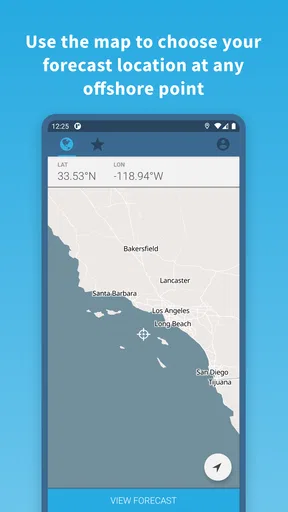
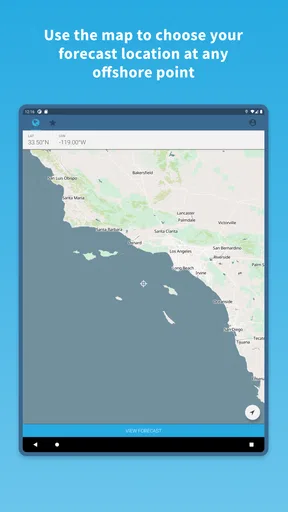
Buoyweather is a weather app from Surfline/Wavetrak, Inc., and its point-based approach is the key to understanding who will get the most from it. A forecast for a particular stretch of coast or offshore route can be more relevant than the conditions shown for the nearest town. I would consider it for planning a fishing trip, checking a familiar launch area, or comparing likely conditions at two possible destinations before setting out.
It is less compelling if you only want to know whether to carry an umbrella or what the weather will be like around home. A standard weather app is usually faster for that everyday question, while Buoyweather is aimed at people whose plans depend on marine conditions. The app is free to install, has an Everyone age rating, and has reached over 100,000 installs. Its average rating is 2.2 from around 400 ratings, so I would approach it with realistic expectations and try it with a familiar location before relying on it for a trip.
What the current version tells me—and what it doesn’t
The current version is 1.7.1, and the app first appeared on April 15, 2016. That gives me a useful sense of its history, but version numbers alone do not show which functions have changed or how often the forecasting experience has been revised. I would not treat the age of the app as proof that its forecasts are either outdated or especially mature; I would judge the current experience by checking whether its coverage and presentation fit the waters I actually use.
The forecast window is a practical dividing line. The free experience includes two-day forecasts, while longer-range planning is tied to a subscription, with in-app purchases listed from $14.99 to $79.99 per item. For a short outing, a nearer-term view may be enough to help me compare conditions and reconsider timing. For a trip that needs planning several days ahead, I would first decide whether the added horizon is worth paying for rather than assuming I need the longest option.
How I would use it before leaving shore
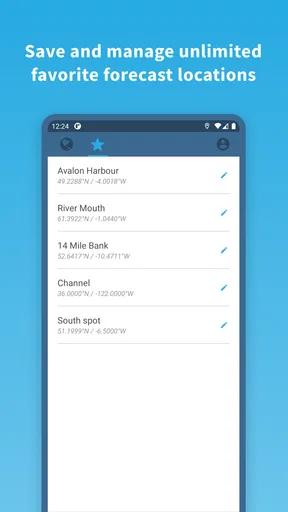
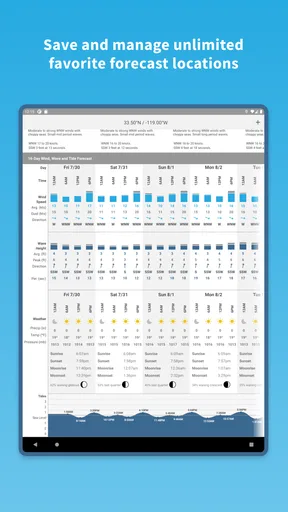
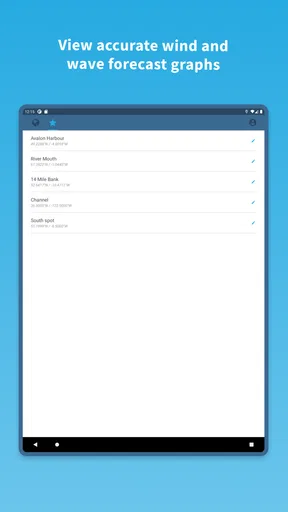
My most useful routine would be to check the same point at more than one planning stage: once when deciding whether the outing is realistic, then again closer to departure. I would also save the locations I return to, so I could compare a familiar launch area with an alternate rather than repeatedly searching from scratch. That comparison is more useful than treating a single forecast as a guarantee, especially when a small change in wind or swell could affect comfort and conditions on the water.
The app offers measurement choices, including knots and miles per hour. I would set the units to match the way I normally discuss conditions with the people I sail or fish with; that avoids translating figures while making a decision. The point-based design also encourages a helpful habit: check the actual area you plan to visit instead of assuming the conditions at a nearby town represent an exposed coast or offshore spot.
How it fits alongside other weather tools
Compared with a general-purpose weather app, Buoyweather puts marine locations and forecasts at the center, which is its main advantage for people planning time on the water. A general app can still be more convenient for ordinary daily weather, and I would not replace it for that purpose. Nor would I use any one forecast app as a substitute for checking official advisories, observing conditions, and applying sound judgment before heading out.
Its limitations matter as much as its focus. A forecast is information to interpret, not a promise that conditions will unfold exactly as shown, and a longer forecast necessarily asks you to plan further ahead than the free short-range view supports. The low average rating is another reason I would test the app on a low-stakes planning decision first. In-app purchases may also be poor value if I only go boating occasionally or if the free forecast already covers my usual lead time.
First Impressions and Features
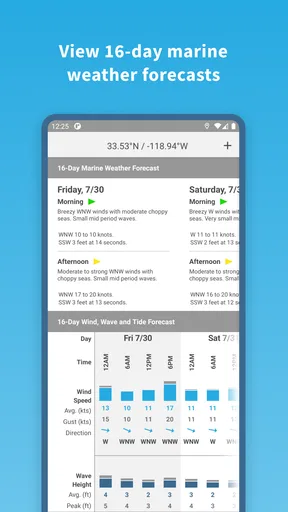
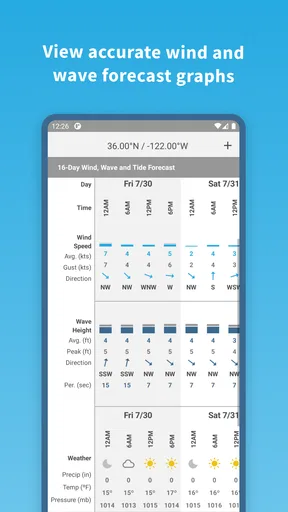
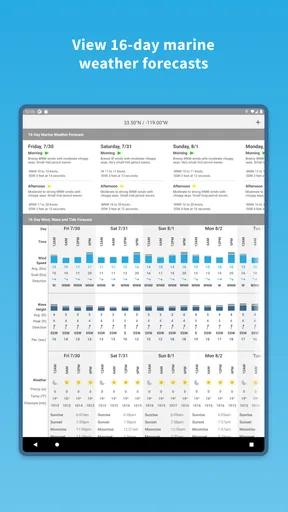
When I first opened Buoyweather - Marine Weather, I was greeted with a clean, intuitive interface. It’s like the app immediately knew I didn’t want to waste time fiddling around—because let's face it, when you're planning a trip out at sea, every minute counts. The app provides easy access to a treasure trove of marine forecasts that cover everything from wind patterns to swell sizes.
One of the standout features is the app's ability to offer accurate two-day forecasts for free, which is perfect for those spontaneous weekend trips. If you’re planning something more extensive, you might want to consider subscribing for extended seven-day forecasts. Trust me, when you're out there, knowing what's coming is invaluable.
Customization and User Experience
What really floats my boat (pun intended) is how customizable the app is. You can set your preferred measurement units, whether you’re comfortable with knots or miles per hour, and choose your location for tailored forecasts. Setting favorite locations is a breeze, allowing for quick checks on your go-to spots.
The user experience is smooth and straightforward, which is a relief. No one wants to deal with a complicated interface when you're trying to get a quick weather update. The app's design is sleek, with a focus on functionality over fluff, making it perfect for both newbies and seasoned sailors.
Performance and Reliability
Now, let’s talk performance. The app runs seamlessly, even when toggling through different locations or forecast timelines. It’s been pretty reliable in providing up-to-date information. The data is sourced from reliable marine weather stations and buoys, giving it an edge in terms of accuracy.
What I found particularly reassuring was the app’s ability to work offline after the initial data download. This means you can access vital weather information even when you're out of signal range—a real lifesaver when you're navigating remote waters.
Things to Consider
While Buoyweather offers a solid free version, the premium subscription might seem a bit steep for some. However, if you’re a frequent sailor, the extended forecasts and additional features can definitely be worth the investment. It’s like having your personal weather station right in your pocket.
Another thing to keep in mind is that while the app provides forecasts, it doesn’t interpret them for you. So, a basic understanding of marine weather is beneficial to fully utilize the app’s capabilities.
Practical checks before trusting a forecast
For a realistic weekend plan, I would use the app to compare the intended launch point with a sheltered alternative, then check the forecast again before leaving home. If the two locations look meaningfully different, that may affect where I go; if the outlook changes, I would be ready to postpone rather than trying to make the original plan work. The point of the check is not to find a reassuring number, but to understand whether the conditions suit the boat, crew, and activity.
I would also download or refresh the forecast while I still have a connection if I expected to lose service. Offline access is useful as a reference to information already loaded, but it should not be mistaken for a live update. Conditions can change, so I would check for the latest outlook before departure and keep another way to receive important local warnings. That simple distinction makes offline availability a backup convenience, not a safety system.
Deciding whether the paid forecast is worthwhile
The longer forecast is most valuable when it changes a real planning choice: arranging time off, coordinating with a crew, or deciding between several possible days. If I only make short-notice trips, paying for extra days may add little. I would first use the free forecast on the kinds of outings I take most often, note how far ahead I genuinely make decisions, and then compare that need with the available purchase options. The listed in-app purchase range runs from $14.99 to $79.99 per item, so it is worth checking the specific option and terms shown in the app before buying.
Would I recommend it to someone new to boating? I would, with a caveat: it can help them look at marine conditions, but it cannot teach them how to judge whether wind, swell, and the rest of the forecast are safe for their vessel and experience. A newcomer should use it as one input alongside guidance from a knowledgeable person and relevant local safety information. For an experienced sailor, the point-based setup and saved spots are more likely to become part of a quick planning routine.
What existing users should watch for
If you already use the app, the clearest way to assess whether it still serves you is to revisit the locations and habits that made it useful. Check that your preferred points are still the ones you need, confirm the units make sense for your crew, and compare a forecast with conditions you can observe from shore. That does not establish a universal accuracy score, but it helps reveal whether the app’s practical output is useful for your own routes and decisions.
The version number and release date provide context, not a changelog. I would keep expectations tied to what the app currently lets me do, rather than assuming a later update has added a feature or fixed a particular issue. With an average rating of 2.2 and around 85 written reviews, user feedback is mixed enough to justify testing the basics before building a trip routine around it. If anything feels unreliable or cumbersome on your device, I would use another source as a cross-check rather than letting convenience settle the question.
Final Thoughts
All in all, Buoyweather - Marine Weather is a fantastic tool for anyone who loves the sea. It’s user-friendly, packed with essential features, and offers a level of accuracy that can make all the difference during your maritime adventures. Whether you’re a casual boater or a seasoned sailor, this app is a reliable companion for navigating the waves.
So, if you're planning your next sea journey, why not give Buoyweather a try? It might just become your go-to marine weather app. Safe sailing, my friends!
My recommendation for a first try
I would start with a familiar, low-consequence outing rather than making the app the deciding authority for an unfamiliar offshore trip. Save a location you know, select units you can read quickly, and see whether the point-specific forecast answers the questions you actually ask before heading out. That trial gives you a fair sense of its fit without confusing a convenient interface with a guarantee about conditions.
For me, the strongest reason to keep it is its marine focus: it makes sense when a forecast tied to a precise water location is more useful than a broad neighborhood report. The strongest reason to skip it is equally straightforward: if you rarely go on the water, need a plain daily forecast, or do not want to interpret marine conditions, a general weather app or another trusted source may suit you better. I would use Buoyweather as a planning aid, compare it with current local information, and let the conditions and my own judgment decide whether the trip goes ahead.
Verdict
Strengths of Buoyweather - Marine Weather
- Accurate marine forecasts tailored for sailors.
- User-friendly interface with intuitive navigation.
- Detailed wave and wind information available.
- Offline access to saved weather data.
- Customizable alerts for weather changes.
Limitations of Buoyweather - Marine Weather
- Limited free features compared to premium.
- Requires internet for real-time updates.
- Occasional bugs in data synchronization.
- Subscription can be pricey for casual users.
- Some regions lack detailed forecast data.
Other Releases by Surfline/Wavetrak, Inc.
View All
Surfline: Wave & Surf Reports
Weather4.0

FishTrack - Fishing Charts
Weather3.5
Similar Picks in This Category
View All
Weather - By Xiaomi
Xiaomi Inc.4.1

Weather & Radar Forecast
WetterOnline4.8

Weather
OneLouder Apps4.6

AccuWeather: Weather Radar
AccuWeather3.6

The Weather Channel - Radar
The Weather Channel4.6

1Weather Forecasts & Radar
OneLouder Apps4.3
Frequently Asked Questions
What features does Buoyweather offer for marine enthusiasts?
Buoyweather provides detailed marine weather forecasts, including wind speed, swell height, and tide information. It caters to sailors, surfers, and fishermen by offering customizable alerts and real-time updates. Users can access 7-day forecasts and hourly data, making it an indispensable tool for planning marine activities.
Is Buoyweather available for both Android and iOS devices?
Yes, Buoyweather is available for download on both Android and iOS platforms. It offers seamless user experiences across devices, ensuring that users have consistent access to marine weather updates. You can find the app on the Google Play Store and the Apple App Store.
Does Buoyweather require a subscription for access?
Buoyweather offers both free and premium subscription options. The free version provides basic forecasts and limited features. For more detailed and advanced information, such as extended forecasts and premium alerts, users can opt for a subscription plan, which enhances the app's functionality significantly.
How accurate is the weather data provided by Buoyweather?
Buoyweather is known for its reliable and accurate marine forecasts, utilizing data from multiple sources, including NOAA. The app employs advanced models to ensure precision in wind, wave, and tide predictions, making it a trusted choice for enthusiasts and professionals who depend on accurate weather information.
Can I customize alerts in Buoyweather for specific conditions?
Yes, Buoyweather allows users to customize alerts for specific weather conditions, such as wind speed thresholds or swell heights. This feature helps users stay informed about changes that might affect their activities, providing peace of mind and enhancing safety while on the water.
